Book a personalized 30-min session with one of our experts!





.avif)


No training. No templates. Ready right away.
Traditional OCR breaks the moment a vendor changes their layout. AI OCR reads an invoice in context, so a new vendor or different format is never a problem.

Header and Line-Level Capture
Pulls vendor name, invoice number, date, PO reference, sub-total, tax, total, currency, subsidiary and line-item detail automatically.

Comprehensive Built-in AP Validations
Runs vendor-on-file, duplicate detection, 2-way/3-way PO matching, amount and currency match, and available-to-spend checks before your team sees it.

Staging Invoice Review
Every invoice lands as a staging invoice. Your AP team reviews, fixes flags, and approves - nothing posts without sign-off.

Multi-Language and Multi-Currency
Handles different languages, character sets and currency formats without separate templates for each vendor.

Metered AI Spend with Controls
AI usage is metered and predictable - set spending limits and monitor consumption like any other running cost.
See the impact of our SuiteApps on real business results.
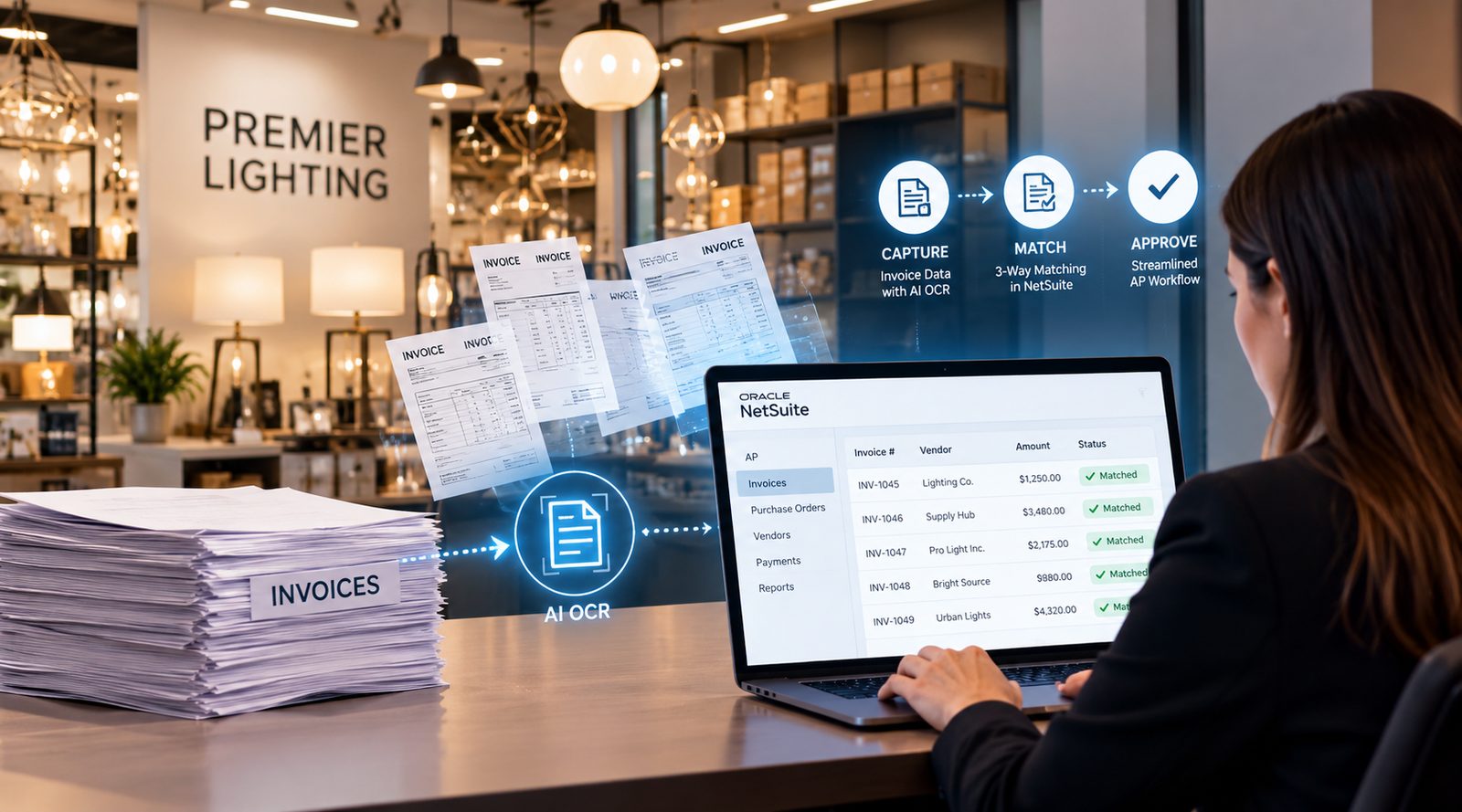
Modern AI OCR exceeds 95% accuracy, but the part that matters most is that a person still signs off. Every invoice goes to your AP team as a staging invoice before anything posts, so only checked data becomes a bill in NetSuite.
NetSuite Bill Capture reads an invoice and creates a bill. AI OCR goes much further. It extracts detailed line-item information from invoices in different formats and more than 500 languages*, then validates everything before a bill is created. This includes vendor verification, duplicate invoice checks, two-way and three-way PO matching, and available-to-spend validation against the purchase order. Because it is a native SuiteApp, the entire process happens within NetSuite.
*Some LLM models claim they can read thousands of languages (there are 7000+ languages in the world)
The AI / LLM only has access to the specific documents and data provided to it for processing, such as the invoice being read. It does not have access to your broader NetSuite account, records, transactions, reports, financial data, customer data, vendor master data, or any other NetSuite information.
AI OCR is a native SuiteApp that runs entirely inside NetSuite. No separate platform, no integrations or sync jobs. The AI service processes only the invoice document itself, and all extracted data, approvals, and bills are created and stored in NetSuite.
The AI handles the extraction, but your team stays in control of what gets posted. Every invoice is first created as a staging record with validation checks. If anything looks incorrect or incomplete, it is clearly flagged for review. Your AP team can make any necessary corrections before the bill is created, and every change is captured in the audit trail.
Not by default. Bills are not posted automatically without approval. Once your team is confident in the extraction quality, you can choose to enable automatic posting for selected invoice types or workflows. You decide where automation makes sense.
AI OCR can process PDFs, scanned documents, and image files in virtually any layout. There is no need to build or maintain vendor-specific templates. The AI understands invoices from different suppliers without requiring predefined formats.
Yes. AI OCR supports invoices in more than 500 languages and works seamlessly in multi-currency and multi-subsidiary NetSuite environments. It automatically identifies the relevant currency and subsidiary during extraction.
It captures complete line-level information, not just header values. This includes vendor details, invoice number, invoice date, subtotal, tax, total amount, purchase order reference, subsidiary, currency, individual line items, and any default expense or item mappings configured in NetSuite.
Before a bill is created, AI OCR validates that the vendor exists in NetSuite, checks for duplicate invoices, performs two-way or three-way matching for PO-based invoices, verifies invoice amounts and currency, confirms available budget against the purchase order, and applies the appropriate default expense, location, department, class, or item values where applicable.
AI processing is usage-based, so you pay only for the invoices you process. Usage is visible within the application, and you can set limits to keep spending predictable and avoid unexpected costs.
Invoices can be submitted in three ways. Vendors can email them directly, your AP team can drag and drop them into NetSuite, or vendors can upload them through a self-service portal. Vendors do not require a NetSuite licence to submit invoices.
Because AI OCR is a native SuiteApp, there is no integration project, it installs directly into your NetSuite account. Connect your invoice email address, set your defaults and approval preferences, and you are processing invoices within two weeks.



Tvarana is an award-winning
Oracle NetSuite Consulting Firm
and an SDN partner.
info@tvarana.com